Page 5 of 10
Posted: Mon Mar 03, 2008 3:22 pm
by DanDiesel
ok had another go at this, and i think the result came out much better:
original with supposedly perfect exposure:
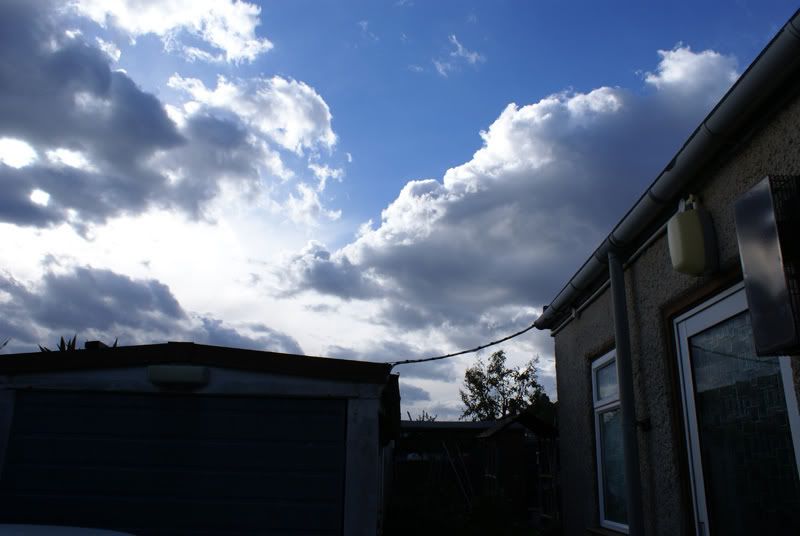
and now the tonemapped one, pretty freaky sky, but cool none the less!
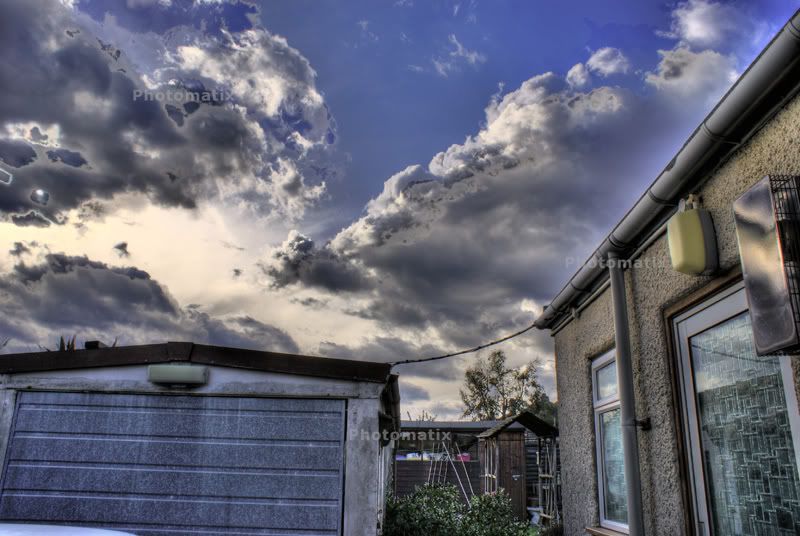
thoughts?
Posted: Mon Mar 03, 2008 4:06 pm
by JoeG07
the buuildings look awesome, i reckon on photoshop put the original sky into the hdr shot and youll have a really cool picture! Also i managed to find a serial for photomatix floating around the web to get rid of the watermark, have a hunt.
Posted: Mon Mar 03, 2008 4:18 pm
by alexperkins
tho that serial doesnt work on macs

god damn me being different!
Dan...is that just a -2 0 and +2 EV shot you have there HDRd?
Posted: Mon Mar 03, 2008 5:50 pm
by DanDiesel
yeah, it mixed 3 photos, proper exposure, -2 and then +2 photos and after a bit of fiddling, this is how it came out!
Posted: Mon Mar 03, 2008 6:07 pm
by alexperkins
Super duper. My camera broke on holiday which sucks so I have to wait for nearly 6 weeks for it to come back from repair - its a joke!!!!
Posted: Mon Mar 03, 2008 9:34 pm
by carerra91
oops
Posted: Mon Mar 03, 2008 11:38 pm
by Tim_GTi
Looks really nice Dan!

I'd agree with Joe though, if possible blend the original sky in a little more
Posted: Tue Mar 04, 2008 10:00 am
by dino
JoeG07 wrote:whats autobracketing and how do i do it?
Depends on your camera but it will usually been in the set up menu.
Posted: Fri Oct 03, 2008 7:21 pm
by garethmk1
You Can do HDR shots simply by using one image ... Just open the image you'd like to change using photoshop ... change the exposures and then open in photomatix - Easy Peasy


Posted: Fri Oct 03, 2008 7:24 pm
by JoeG07
garethmk1 wrote:You Can do HDR shots simply by using one image ... Just open the image you'd like to change using photoshop ... change the exposures and then open in photomatix - Easy Peasy
nah its not the same because taking different photos at different exposures captures different information, wheras changing the exposure of one image dosnt. However, im pretty sure you can do it from one picture if its taken in RAW format, which would allow you to produce hdrs of photos like passing planes or animals where you cant take 3 shots, although im not certain about this
Posted: Fri Oct 03, 2008 7:29 pm
by Tim_GTi
Nope you can't do it with one shot. The data and information just isn't there,. takes these pictures for example...
If this was your original image:
you couldn't simply crank the exposure on the garage sections to produce this:
You need seperate images.
But sure, taking an image and editing it using 3 different exposures in PS will make it look better. It's simply colour/level and contrast correction. nothing like HDR.
Posted: Fri Oct 03, 2008 7:39 pm
by JoeG07
yeah but if you shoot it RAW then your only applying contrast the camera would have done anyway, allowing you to poduce 3 differently exposed images
Posted: Fri Oct 03, 2008 8:15 pm
by Tim_GTi
JoeG07 wrote:yeah but if you shoot it RAW then your only applying contrast the camera would have done anyway, allowing you to poduce 3 differently exposed images
Care to expand? i'm not too clued up on RAW images
Posted: Fri Oct 03, 2008 8:22 pm
by JoeG07
ive never played with it, but if i understand right, its basically like a negative for digital cameras, certain dslrs let you do it, you take the photo, but instead of saving it in jpeg or whatever format on your camera, it saves the information it captures, and you apply like the contrast, levels etc afterwards using software. which would allow you to produce different contrasted pictures from one file.
Posted: Fri Oct 03, 2008 8:43 pm
by pip_polo
you can make HDR's from 1 RAW, it saves everything, unlike jpeg which saves what i needs. prof photographers use RAW as there is sooo much info stored in the image that it can be changed to look perfect. hence why it takes up loads of memory on your card lol