anyone knows how to get this? (the little cap on antenna)

Chat about your 6R/6C model Polos here!
s0234
New
Posts: 13
Joined: Wed Apr 01, 2026 10:08 pm
Drives: Polo 6R
Location: London

Re: anyone knows how to get this? (the little cap on antenna)

Post by s0234 »

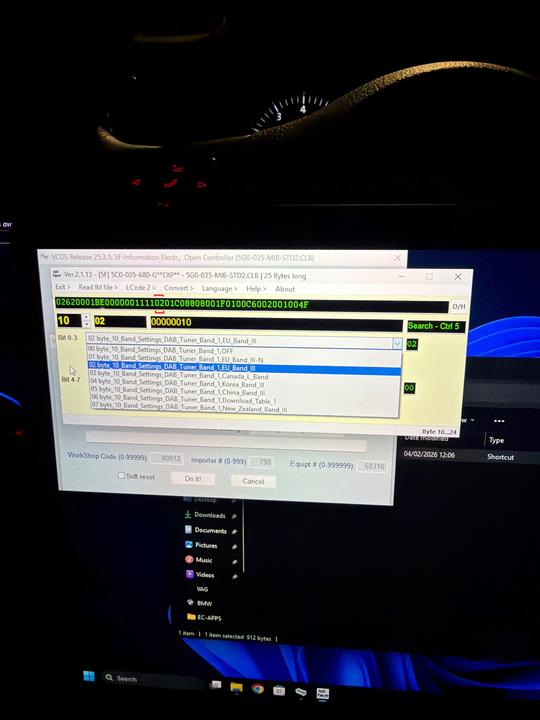
ciclo wrote: Sun Aug 16, 2026 1:35 pm In Byte 10, change Band 1:

If current value: [VO]_EU_Band_III-N.
Change the value to: [VO]_EU_Band_III ...UK...


Other checks:

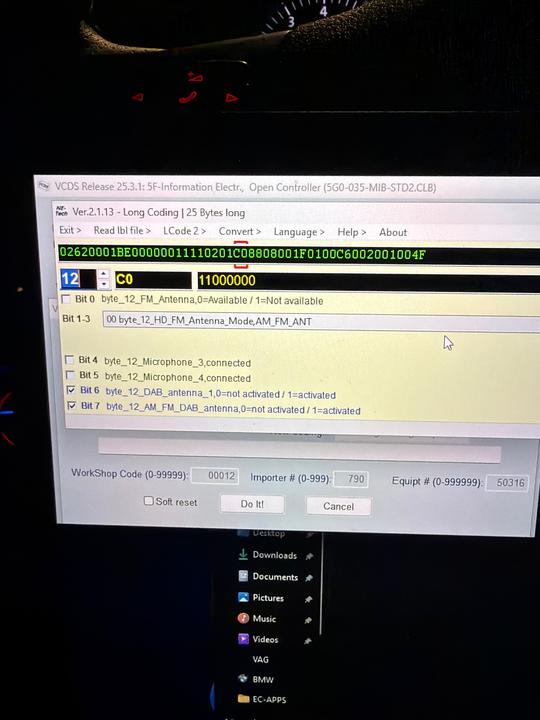
Antenna Power Supply (Byte 12):
-If you have both DAB_antenna_1 and AM_FM_DAB_antenna set to [VN]_active.
This is only correct if your car has factory-installed DAB antenna amplifiers. If you have installed an external antenna or a non-original splitter that does not require 12V power from the connector, this could generate a "Short to Ground" error in the radio module.

BWS (Byte 13):
-If you have [VO]_no_BWS.
The Broadcast Website Service (BWS) allows you to receive images or logical data from the station. If your screen supports it, you can switch to [VN]_activated to see additional interactive logos or graphics from broadcasting stations.

Reset the MIB2 -press and hold the power button for about 10 seconds until it turns off and the logo appears- and perform a new DAB station search.

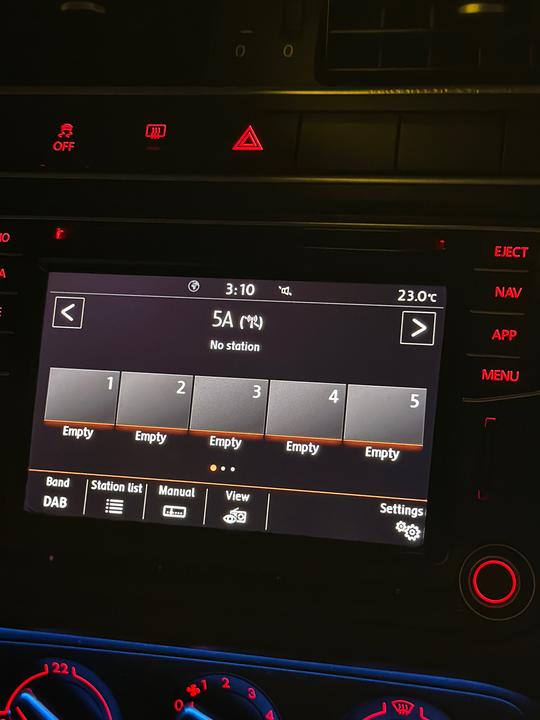
Apologies for the late response just been caught up with other things. I’ve double-checked the coding and even changed/edited to match the ones you said afterwards(apart from BWS) as much as possible but still nothing. Probably not the most reliable source but according to Gemini, the car is sending the ghost voltage so no clue why it’s not working. Not even radio stations are loading.
Image
Image
Image
Image
User avatar
ciclo
Bling Bling Diamond Member
Posts: 8913
Joined: Sun Feb 24, 2013 10:20 am
Drives: 6R'13/G7.5'19
Location: Earth ♥, Spain.
Contact:

Re: anyone knows how to get this? (the little cap on antenna)

Post by ciclo »

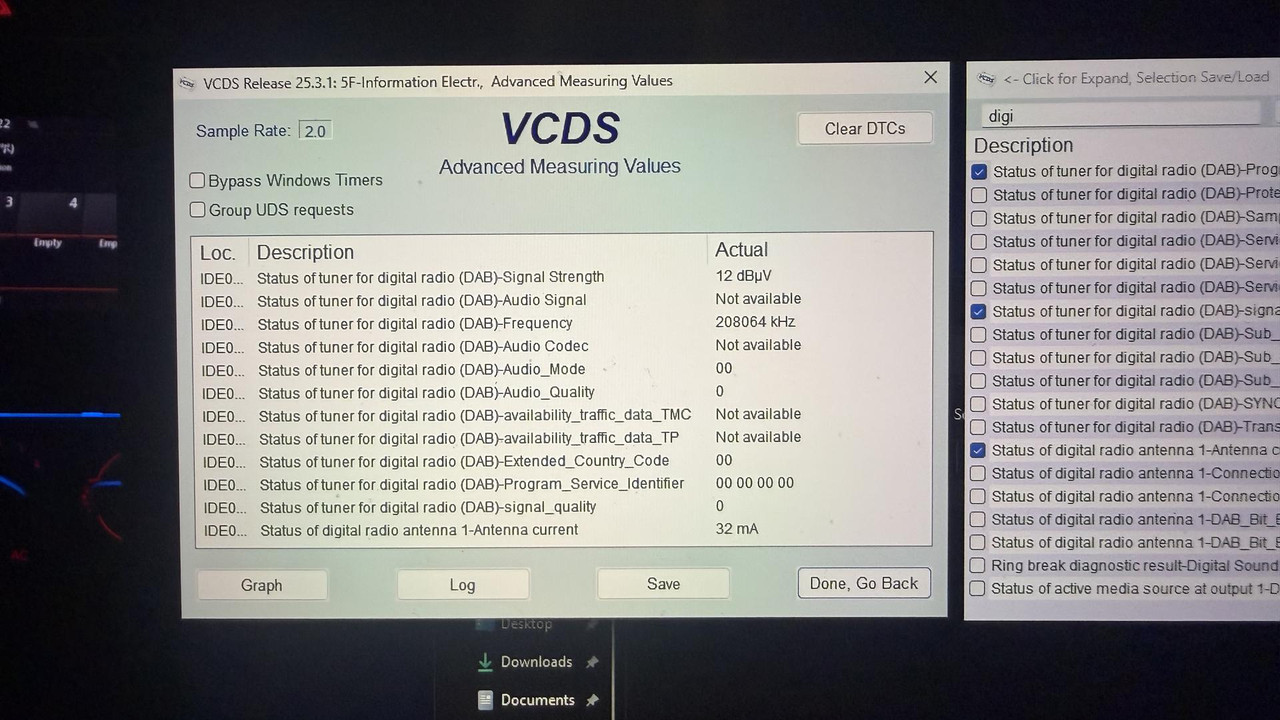
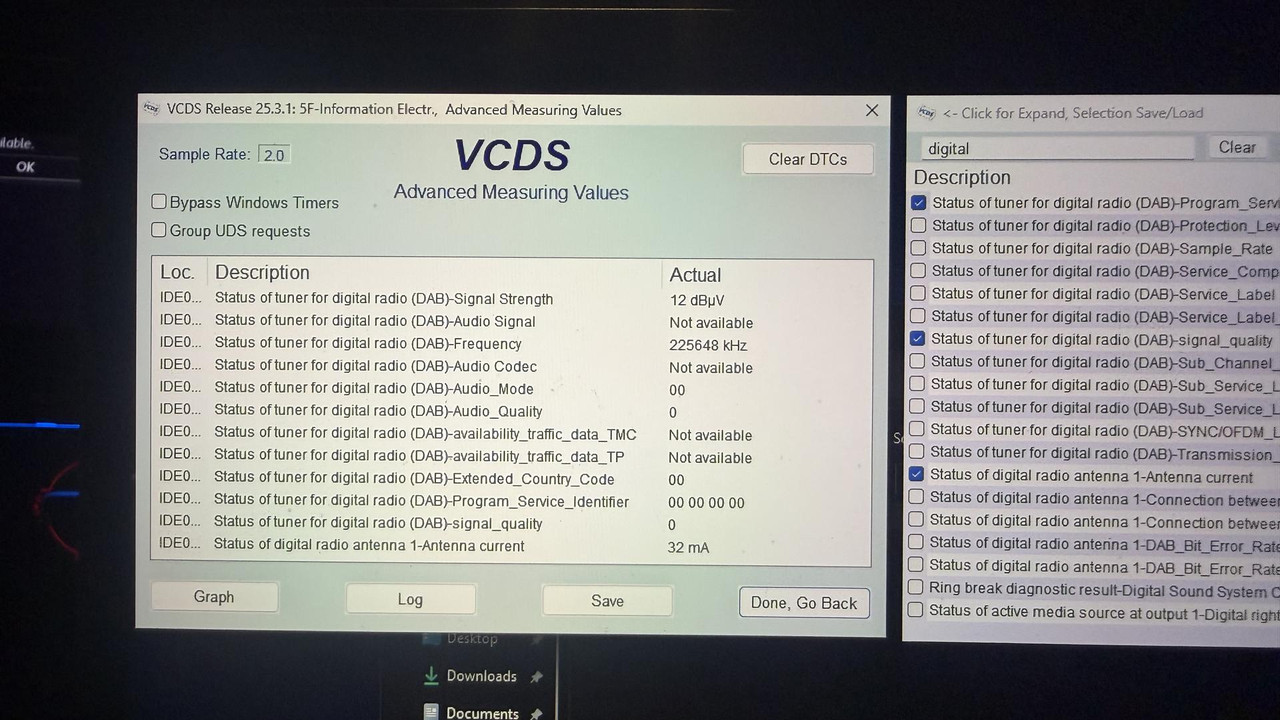
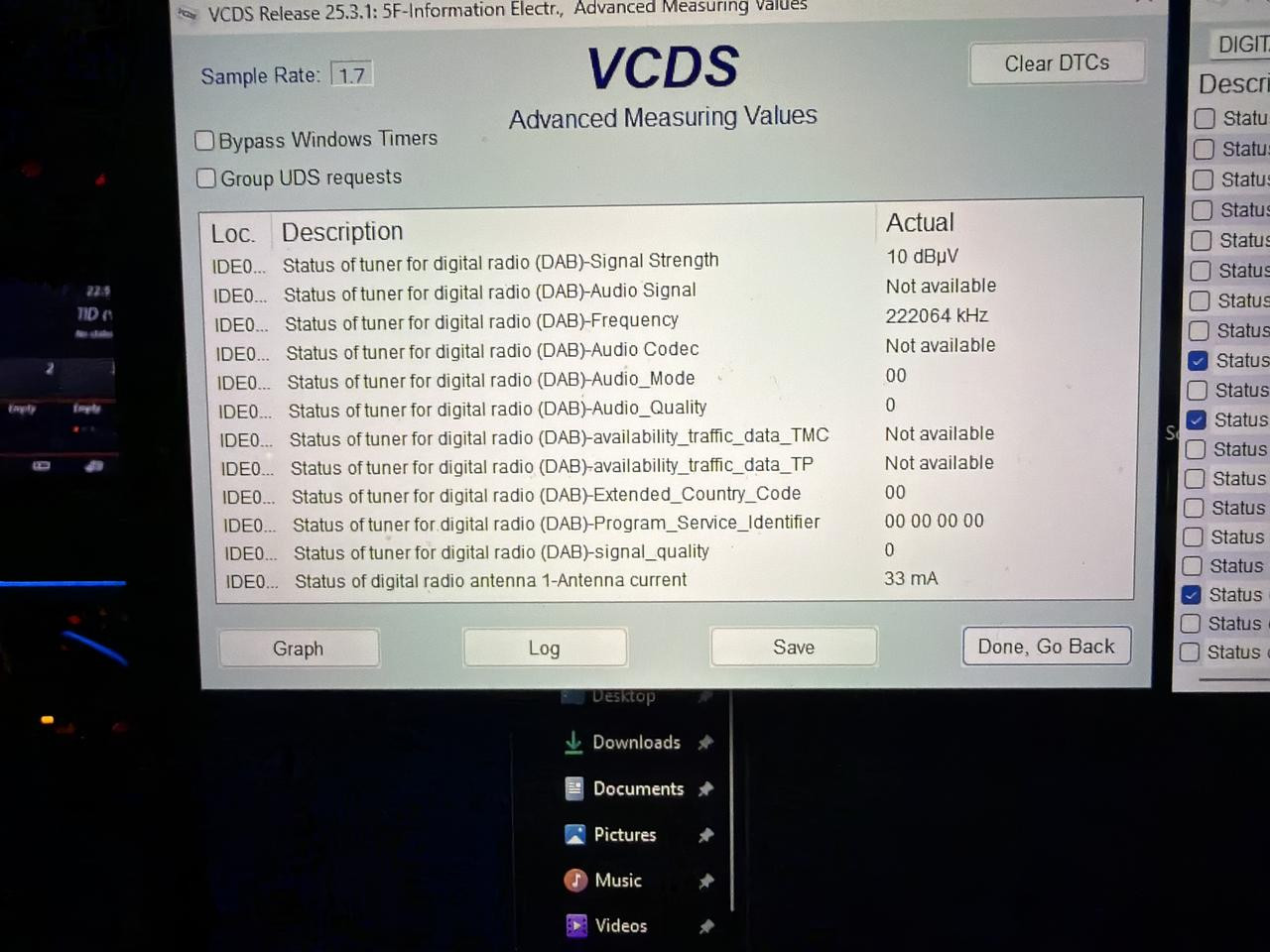
Advanced measuring values ​​indicate that the amplifier is receiving proper power (33mA), the issue is that the incoming signal is too weak to be decoded (10 dB..)

Change the hexadecimal value of Byte 12 to 00HEX (with bits 6 and 7 disabled), this will allow the MIB2 unit to manage the signal automatically.
Remember to reset the unit whenever you change the coding in module 5F.

Return to the Advanced Measuring Values ​​screen. If the theory holds true, leaving it in automatic mode should cause the 10 dB.. reading to instantly jump to a healthy value, and the Audio Codec status should change from "Not available" to displaying the broadcast's digital format.

You can also try setting Byte 12 to 80HEX using the same procedure in case you don't succeed with the previous step.
s0234
New
Posts: 13
Joined: Wed Apr 01, 2026 10:08 pm
Drives: Polo 6R
Location: London

Re: anyone knows how to get this? (the little cap on antenna)

Post by s0234 »

ciclo wrote: Fri Sep 04, 2026 3:24 am Advanced measuring values ​​indicate that the amplifier is receiving proper power (33mA), the issue is that the incoming signal is too weak to be decoded (10 dB..)

Change the hexadecimal value of Byte 12 to 00HEX (with bits 6 and 7 disabled), this will allow the MIB2 unit to manage the signal automatically.
Remember to reset the unit whenever you change the coding in module 5F.

Return to the Advanced Measuring Values ​​screen. If the theory holds true, leaving it in automatic mode should cause the 10 dB.. reading to instantly jump to a healthy value, and the Audio Codec status should change from "Not available" to displaying the broadcast's digital format.

You can also try setting Byte 12 to 80HEX using the same procedure in case you don't succeed with the previous step.
Unfortunately, still no luck.

after 00HEX:
Image

after 80HEX
Image
User avatar
ciclo
Bling Bling Diamond Member
Posts: 8913
Joined: Sun Feb 24, 2013 10:20 am
Drives: 6R'13/G7.5'19
Location: Earth ♥, Spain.
Contact:

Re: anyone knows how to get this? (the little cap on antenna)

Post by ciclo »

I thought it would be solved... , please tell us or show us which DAB antenna/amplifier you are using, and provide a VCDS scan showing the faults in module 5F.
Right now, everything points to the antenna/amplifier being faulty... or the connections not being quite right (antenna cable or connectors), 🤷‍♂️

If possible, test with another antenna/amplifier and/or with a new external cable.
s0234
New
Posts: 13
Joined: Wed Apr 01, 2026 10:08 pm
Drives: Polo 6R
Location: London

Re: anyone knows how to get this? (the little cap on antenna)

Post by s0234 »

ciclo wrote: Sat Sep 05, 2026 1:37 am I thought it would be solved... , please tell us or show us which DAB antenna/amplifier you are using, and provide a VCDS scan showing the faults in module 5F.
Right now, everything points to the antenna/amplifier being faulty... or the connections not being quite right (antenna cable or connectors), 🤷‍♂️

If possible, test with another antenna/amplifier and/or with a new external cable.
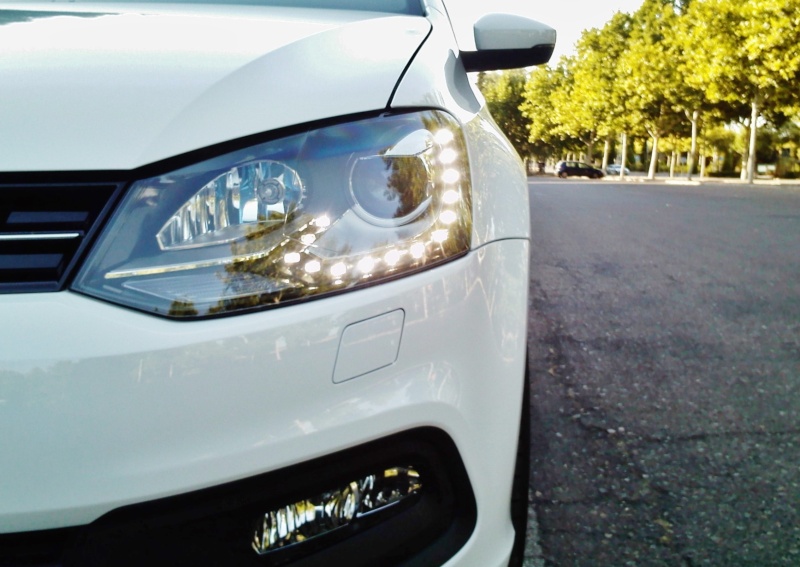
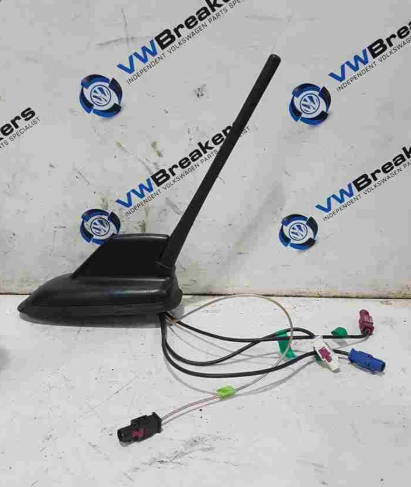
Not from the exact seller in the picture below but the exact same antenna:
Image

Only error is CP but it's been patched so can probably ignore. Couldn't get a pic in time but that was only DTC in 5F
If antenna was faulty, surely I'd get a broken circuit error and FM/AM and GPS shouldn't work?

I did try a different antenna before this but that one was a aftermarket sharkfin one, I had the same issue as I do with this current one. Everything works fine FM, AM, GPS except DAB.
User avatar
ciclo
Bling Bling Diamond Member
Posts: 8913
Joined: Sun Feb 24, 2013 10:20 am
Drives: 6R'13/G7.5'19
Location: Earth ♥, Spain.
Contact:

Re: anyone knows how to get this? (the little cap on antenna)

Post by ciclo »

Based on the data/scan shown, it is highly likely that the antenna you purchased ​​is in good working order...

But, DAB/DAB+ frequencies are much higher and more sensitive than standard AM/FM. If the current cable installed in the car is a low-quality replica, or if it has been sharply bent or crushed behind the dashboard during the installation, it will cause high signal attenuation. The MIB2 will think the antenna is connected (no fault code), but the digital data package is too degraded to decode any UK radio stations.
Fakra connectors have a microscopic center pin that carries the actual high-frequency signal, it is incredibly common during DIY retrofits to slightly bend or push this center pin backward inside the plastic housing when plugging it into the back of the radio or the antenna base. If the outer shielding clicks into place, VCDS thinks the antenna is connected, but the center pin isn't actually making contact, resulting in zero signal reception

The only remaining step is to test it (externally) using a new RG-174 (50-ohm) 5m coaxial cable running from the antenna black connector to the MIB2's black connector.
Get a 5-meter RG174 coaxial cable with Fakra female connectors (ideally the Water Blue/Code Z universal variant), 5 meters is the perfect length to run it externally from the dashboard out to the roof or boot without tension. Amazon, etc...

Once connected, in the MIB2 settings, go to Settings > Factory Settings > Radio and reset it. Then, perform a fresh autotune while the car is outside in the open air.
If the stations suddenly appear, your previous cable is either crushed, damaged, or of sub-par quality.
Hmm... you can even do this procedure before the test.
Post Reply